
Download the cv8 App and Safely Install the APK
The cv8 app may provide users in the Philippines with mobile access to cv8 games, slots, and casino features. Before downloading cv8, verify the official cv8 link, publisher, app permissions, and device security.
verified_user What to Check Before Downloading cv8
Verify the cv8 Link
Before downloading the cv8 app, check the domain, HTTPS connection, and official instructions.
Review cv8 APK Permissions
If the app requests unnecessary access to SMS, contacts, or files, stop installing the cv8 APK.
Log In to cv8 Securely
Use a strong password and your own device when logging in to cv8.
For more information about the platform, read About cv8.
cv8 App System Requirements
Android
The cv8 app works best on a secure Android device with an updated browser and enough storage.
iOS
Follow the official instructions to use the cv8 app or a web shortcut on your iPhone.
Security
Before downloading the cv8 APK, make sure your device lock, operating system, and backup are up to date.
Popular Games on the cv8 App


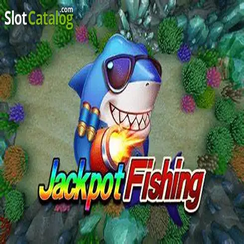
Explore the full library in cv8 Live Games.
cv8 APK Safety Warning
Getting the cv8 APK from an unknown source can expose you to malware, data theft, or fake cv8.com pages. Before using the cv8 app for casino games, check cv8's legitimacy, payment policies, and age restrictions. Online casino games on cv8 never guarantee income.
Read the Super Ace guide to learn the game rules.
Download the cv8 APK Nowcv8 App FAQs
Use only a verified official cv8 link, and avoid APK files shared in messages from unknown sources.
Many cv8 slots run in the cv8 app or a browser; check their safety before downloading any separate files.